
This year there have been a lot of stories of people purchasing tickets and items through bogus websites, so I thought you may appreciate some tips on how to check out if a website is genuine.
1. Does the Site have a Registered Postal Address?

The Consumer Protection (Distance Selling) Regulations require companies selling goods and services online to list a postal address on the website, and also a land-line telephone number.
2. Does the Website have a Privacy Policy?
Most large companies will have a privacy policy. If you run the following in a Google Search you will see what I mean.
john lewis privacy policy selling details to third parties
Smaller companies may not have such a comprehensive policy, but all online sellers should have a privacy policy. Avoid any that say they will sell your details to third parties.
3. Check if the business is on Google Maps
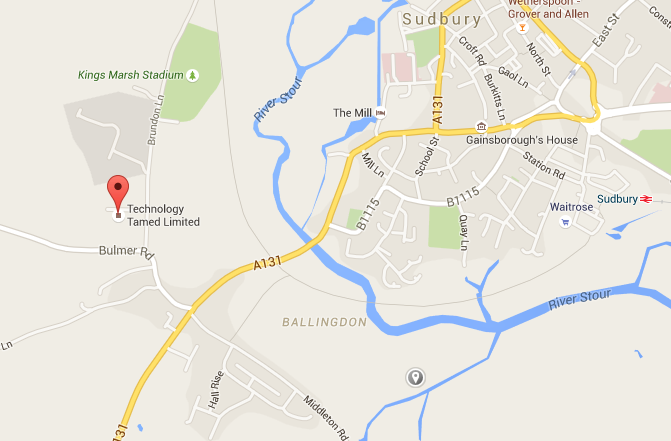
Has the business bothered to register their location with Google maps and, if so, does the address shown match the address on the website.
4. Is the Company Listed at Company House?
If a company is limited then it will be listed at Company House. It is possible to do a quick check on this without paying at http://wck2.companieshouse.gov.uk//

You can also run a check at www.companycheck.co.uk. This will tell you how long a limited company has been trading, their cash, net worth, assets and liabilities. Note that the listed address at Companies House is often not the same as the business address of a company.
5. Run a WhoIs Search

Bigger businesses will probably have their address and contact details listed under the Admin name and details. Do a Search on John Lewis at www.who.is and you will see what I mean.
This may not be the case for smaller businesses such as Technology Tamed, as we use a third party to host our site. We are based in the UK though and our site is registered in the UK. Normally (but not always) a company is registered in the country it trades in.
WhoIs tells you how long our site www.technologytamed.com has been registered since 1999. So, if hypothetically we were selling tickets for the latest Rugby match, you could be more confident that our site has not just been set up overnight to take advantage of a fraudulent selling opportunity.
6. Do a Google Check
See if it is a known scamming site. Run a google search on websitename scam or websitename phishing.
Google also keeps a record of whether malicious content was noted on a site. Go to https://www.google.com/transparencyreport/safebrowsing/diagnostic/index.html#url=http://searchengineland.com/ to check.
7. Check Reviews and Complaints
If you do a google search ‘Amazon Bad Service’ you will see you get a whole listing of customer service reviews. If you do the same with the website address you are checking out, what do you get? It may be nothing – is this what you would logically expect? If you get listings, are there good reviews in there? Even John Lewis gets negative reviews, so a bad review should not make you avoid the site, but you want to see a lot of good reviews in there too.
8. If you Phone, Does Your Call Get Answered?

A simple test, that is not fool proof, but if you phone, email, write, do you get a reply? Is that reply as you would expect – for example if it is a small UK company is the phone answered by someone who speaks English fluently and when you ask questions about the product do you get knowledgeable answers.
9. Get Familiar with the Web Address of the Shopping Site
A lot of phishing sites use web addresses that are nearly correct but not quite. They are displayed if you misspell the name, or have a slightly different domain. So www.myshoppingheaven.com might be www.myshopingheaven.com or www.myshoppingheaven.net . So be careful when you go to a website to get the address correct.
10. Finally Check Out the Web Site
I put this last as criminals are getting more and more sophisticated at setting up websites that look genuine. A genuine company is likely to have:
- Few spelling and grammar mistakes
- All the links will work
- Photos will be of good quality
- They will have invested in secure payment methods
- They will probably tell you a little about the company ethos
- Have a privacy policy
- Etc, etc, etc.
So, if the site you are visiting does not tick any of these boxes it is probably bogus.
If you want to go ahead with a purchase then there are some further things you can do to protect yourself.
Tips on How to Make Online Shopping Safer
Rebecca Mansbridge
December 2015