

We are continuing our series to help you improve your IT security. The most valuable item for both home and business is your data. So securing it is important and one good way to do this is to encrypt it. In the simplest of terms this means coding your data so that if your computer was stolen it would be unreadable without a key / password. Here is what to consider…
Bitlocker & FileVault2
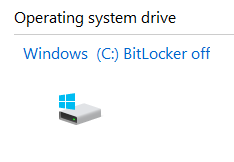
There are good encryption options available with modern Microsoft Windows computers. If you have computers running Microsoft Windows 10/11 Professional, you can enable Bitlocker. The Apple equivalent is FileVault2 (OS X Lion and later).
Enabling These Will:
Encrypt the hard drive of your computer. If that hard drive is removed from the computer the Bitlocker key will be needed to access the drive.
Allow you to set a password that is required when the computer is started – restricting what a thief can access.
The Technology Tamed Service
We are happy to enable Bitlocker for you. We will:
- Enable Bitlocker
- Keep a record of your Bitlocker key
- Encrypt your drive
- Enable a PIN on start up
- Do a quick audit of your computer
- Do a quick to see if there are any basic housekeeping issues on the computer
The Do It Yourself Service
If, however, you would like to give this a go yourself the following area really good step-by-step article:
Encrypting with FileVault2
Note that
- Bitlocker encryption is not available with Windows 10/11 Home versions – you can only use Device Encryption.
- ou must remember your key/password. If you do not then you may lose all your data. The security that keeps thieves out will keep you out too.
- If there is a corruption of your operating system then recovering your data might be more difficult (and expensive) than usual. So a good back up system is important.
Rebecca Mansbridge
Director
March 2022
If you found this article of interest you might also want to read Improve Your IT Security Step 1: Check Your Firewalls